Investigate and fix a bug
Use one session for the whole chain from reproduction to regression test. A separate research session is useful only when the investigation can produce an independent artifact for the implementing agent.
Start from the run that failed
When the failure already happened in Saggar, don't retype the story. Investigate with an agent is in the menu of any terminal — a quick run, a docked monitor, or an ordinary session — and opens an agent in the same project, named for the run it came from.
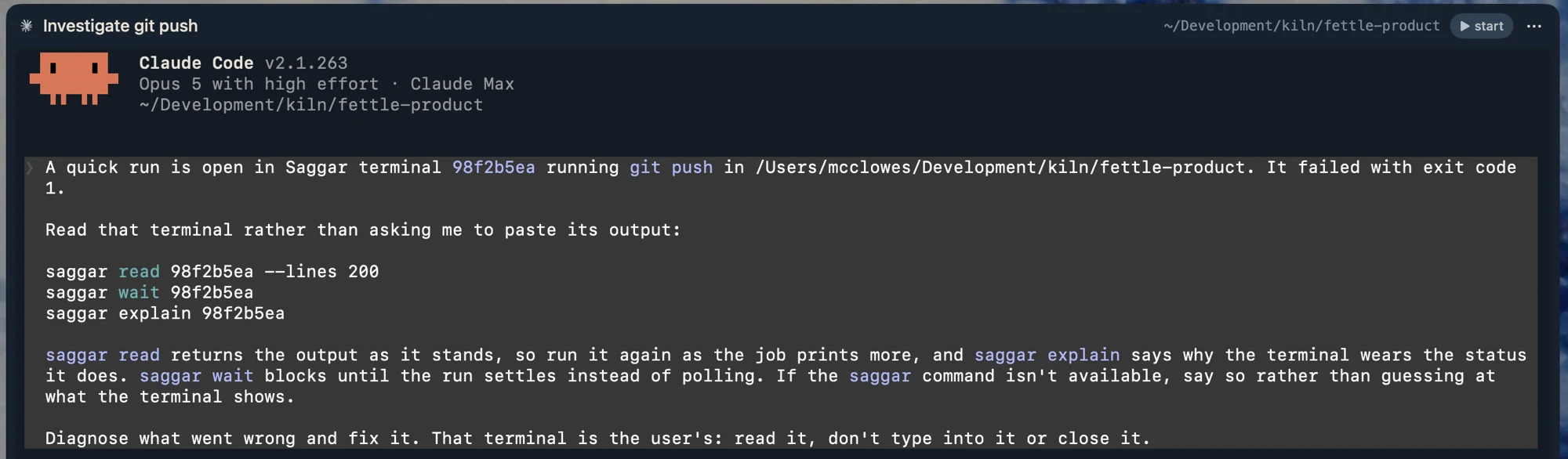
The agent gets the run's terminal id and the commands that read it, not a frozen
transcript. It can run saggar read again as the job prints more, block on
saggar wait rather than polling, and ask saggar explain why the terminal
wears the status it does. A monitor that may never settle is handed
saggar wait --match for a particular line instead. The failed terminal stays
yours: the prompt tells the agent to read it, not to type into it or close it.
This needs the saggar command installed, from Settings ▸ CLI. Without
it the handoff falls back to a bounded tail of the output — enough for a settled
failure, but the agent can't follow a job that is still running. See the
saggar CLI reference for what it can read.
Capture the failure
Start an agent in the affected project. Attach logs, screenshots, or sample files in the new-session dialog so the evidence arrives with the first task. For a visual bug, use Add image… from the command palette to place numbered comments on the relevant parts of the screenshot.
Give the agent observed behavior, expected behavior, reproduction steps, and a finish line:
Diagnose and fix [failure].

Reproduce it with:
1. [step]
2. [step]

Expected: [behavior]
Observed: [behavior]

Find the root cause before changing code. Add a regression test that fails for
the cause, implement the smallest fix, and run [checks]. Finish with the cause,
why the fix addresses it, and the evidence that it works.
Keep the evidence visible
Run a dev server, test watcher, or log stream in the monitor dock rather than a second agent session. The monitor stays beside the investigation and flags new errors without becoming another task to triage.
If the agent asks you to reproduce an interactive step, open its session and do that there. Put any useful output into the project's scratchpad or send it back in the same conversation.
Verify the cause, not just the symptom
When the agent finishes, check that the new test represents the original failure and would fail without the fix. Then reproduce the user-visible behavior once more when practical.
A passing broad test suite is useful, but it doesn't prove the reported bug was understood. The regression test and direct reproduction close that gap.
If the fix is incomplete, give the agent the failed observation and let it continue in the same session. If the investigation reveals a separate problem, start a new named session rather than widening this one.