A terminal for humans in the AI era.
A native Mac terminal manager built for the human powering the loop.
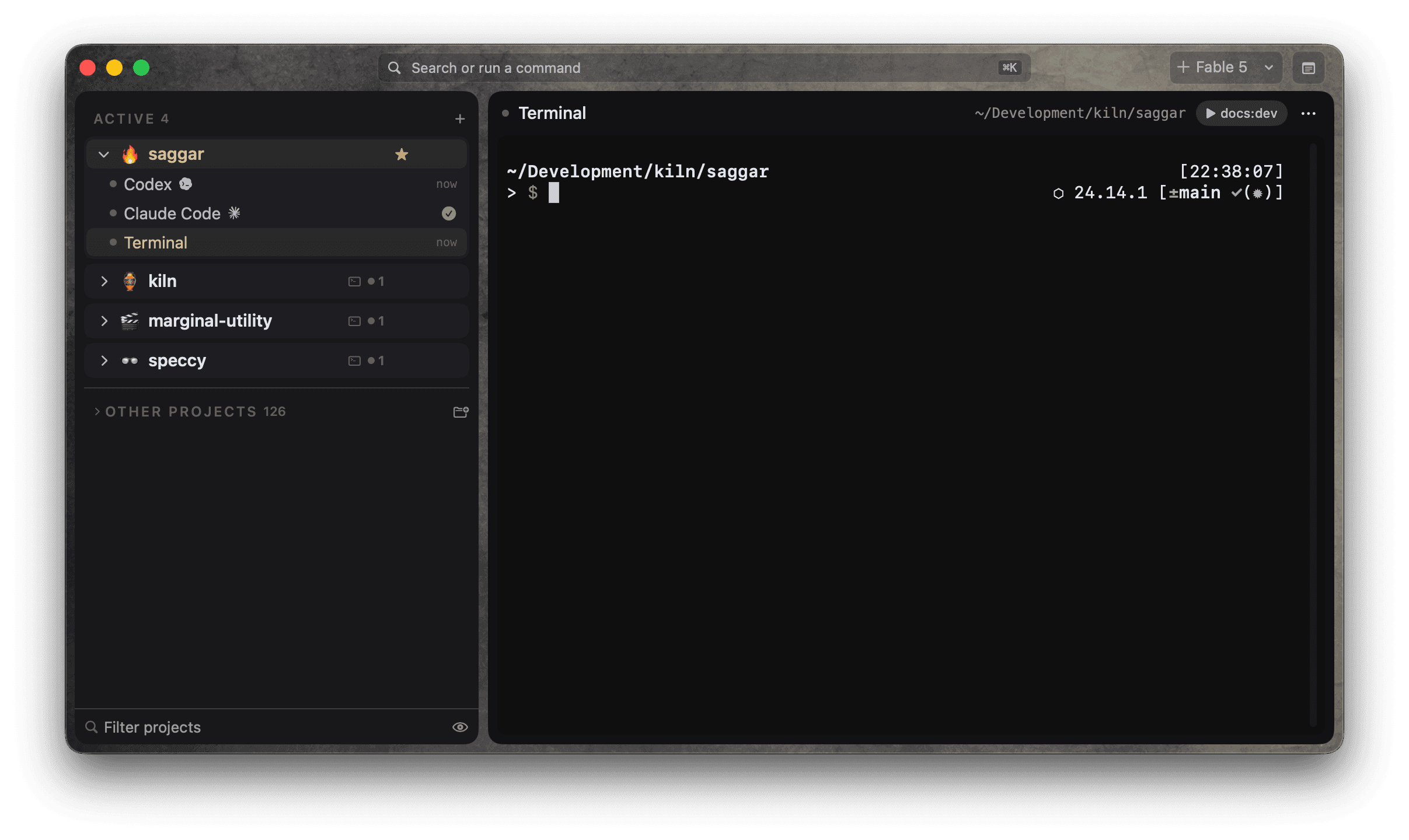
Run coding agents and shells side by side. Every session is a real terminal you can read, type into, and take over. Saggar tracks which ones are working, finished, or waiting, and brings the one that needs you to the front.
Mac only. Requires macOS 26 Tahoe or later on Apple silicon.
No account needed.
Features
Chat apps wrap the agent in a summary and take the keyboard away. Saggar keeps the terminal and adds the pieces it was missing. Why we built it this way.
- Real terminals: Every session is a shell you can read, type into, and take over. Agents run in it, not behind a summary.
- Session status: Needs you, Working, Idle, Finished, Failed, and Ready for review, on every session.
- Triage queue: ⌘J walks whatever is waiting, by priority. Attention cards, sounds, and the Dock badge cover the rest.
- Projects and worktrees: Every project, branch, and worktree in its place, with split panes and saved layouts.
- Phone app: Approve a prompt, start an agent, or type into a session from anywhere. Push alerts are sealed to your phone.
- Automations: Turbo answers routine prompts, the prompt queue lines up your next one, and jobs run on a schedule.
- Webhooks: CI failures, labeled issues, and PR change requests land in Activity and can start an agent.
- Context and usage: Context pressure and provider usage per session, plus transcript search when you need to know what happened.
- Six providers: Claude Code, Codex, Antigravity, Pi, OpenCode, and Copilot CLI, each in its own terminal.
- The saggar CLI: Agents can raise attention, open terminals, and hand off work. Fettle reviews a turn.
- Native: A Mac app, not Electron. Restore brings every session back after a restart.
The intro
The supervision loop
Start work across projects
Run agents, shells, dev servers, and tests across every codebase. Each session stays attached to its project, branch, and worktree.
Leave working agents alone
Sessions classify themselves as needs you, working, idle, finished, or failed. Working sessions stay out of the way. Prompts, failures, and finished work remain visible.
Handle what needs you
Waiting prompts and finished work form one ordered queue. Answer from the attention card, or press ⌘J to move through it by priority.
Step away without losing the thread
Pair the Saggar phone app to see what your sessions are doing while you are out. Inspect a session, answer its prompt, interrupt a runaway, or type into it.
Keep the work moving
Saggar also helps you give direction, inspect the details, and keep your place as work grows.
Show the agent what you mean
Add numbered comments to an image, or attach files to the initial task so the agent starts with the context you have in mind. Add image annotations · Attach files
See what you're working with
Preview files and image placeholders in terminal output, then follow a file path straight into your editor. Preview files · Preview sent images
Act when the thought occurs
Queue the next prompt while an agent is busy, use a quick run for a command, or open the command palette to act on an idea. Queue a prompt · Explore the command palette
Keep your place as work grows
Organize sessions by project, keep monitors nearby, and check session previews and attention cards without losing your place. Restoration brings your workspace back after a restart. Organize your workspace
Stay involved away from the desk
Pair the Saggar phone app to inspect sessions and respond, with the access you approve on your Mac. Keep your Mac awake, online, and running Saggar while you work remotely. Set up remote access
Make it feel like your Mac
Choose from vibrant or neutral themes and leave your mark.


Use Saggar away from your Mac
- Sign in on both devices. Use the same Marginal Utility account on your Mac and phone. Saggar verifies the account during pairing and on every request.
- Scan the QR code. Find it under Saggar → Settings → Remote control. Scanning enters the Mac identifier and pairing code for you. After the account check, the Mac asks you to approve the device.
- Pair once. Pairing doesn't expire through inactivity. You can revoke one device, or sign out on the Mac to revoke them all.
Secure by default
Remote control is ready when you need it, but only devices signed into your Marginal Utility account can pair. The Mac checks the account again on every request.
A device pairs only while it is signed into your account. The Mac checks every request.
The Mac dials out to the relay. It opens no port on your network.
One scan, and it holds. Signing the Mac out revokes every device at once.
The Mac connects to Saggar's relay, so it doesn't open a port on your network.
Documentation
Start with the setup guide, learn the common workflows, or look up a command when you need it.