Show your coding agent the screen
A screenshot is often the shortest useful prompt you can give a coding agent. It captures spacing, hierarchy, density, clipping, and the exact state of the interface in one artifact.
Attach the screenshot, point to the part that matters, and describe the outcome rather than prescribing every CSS or SwiftUI change. For example:
In this screenshot, the selected row is hard to distinguish from the rows around it. Make the selection clear without increasing the row height or changing the overall palette. Preserve keyboard focus and check the result at this window size.
That gives the agent three things: visual evidence, intent, and constraints. The screenshot keeps words like “slightly misaligned” or “too cramped” anchored to something concrete, while the prompt explains which details are deliberate and which should change.
Screenshots work just as well for reproduction. Capture the broken state, include the steps that produced it, and ask the agent to compare its result against the image. For visual work, repeat the loop: capture, prompt, run, inspect. A fresh screenshot catches the small regressions that build logs and unit tests can't see.
On a Mac, Clipped removes most of the friction from that loop. It keeps screenshots in local clipboard history with image previews, so you can capture a state, find it again, and paste it straight into your coding agent's prompt. The image stays on your Mac.
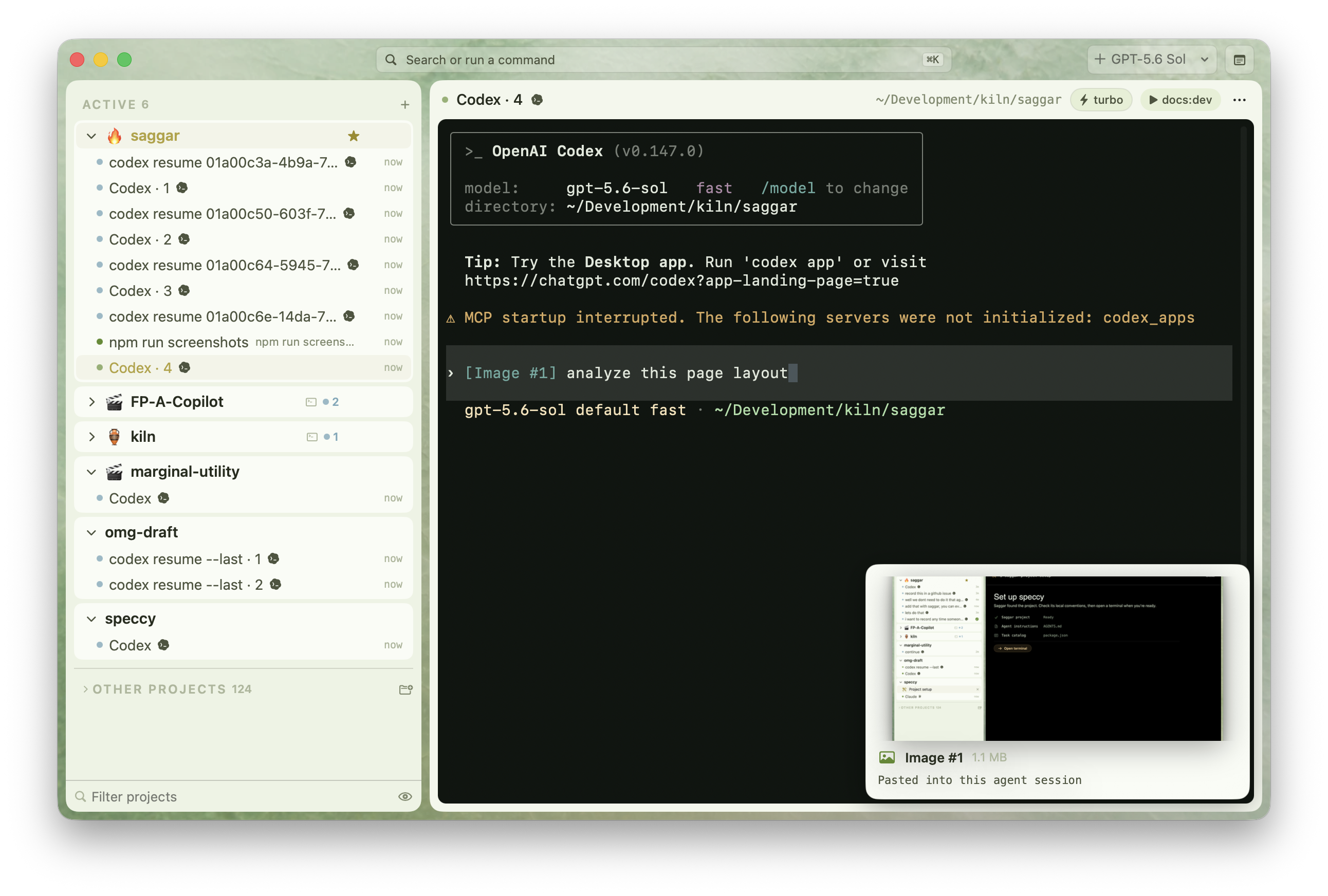
Saggar keeps that visual context close after you send it. Hover over an image pasted into an agent terminal to preview it, so you can check which screenshot the agent received without leaving the conversation.
Don't make the screenshot carry the whole specification. Name the target screen and state, mention behavior that isn't visible, call out anything that must stay unchanged, and include relevant accessibility or responsive requirements. The image shows what happened; the words say what should happen next.